Thinkify
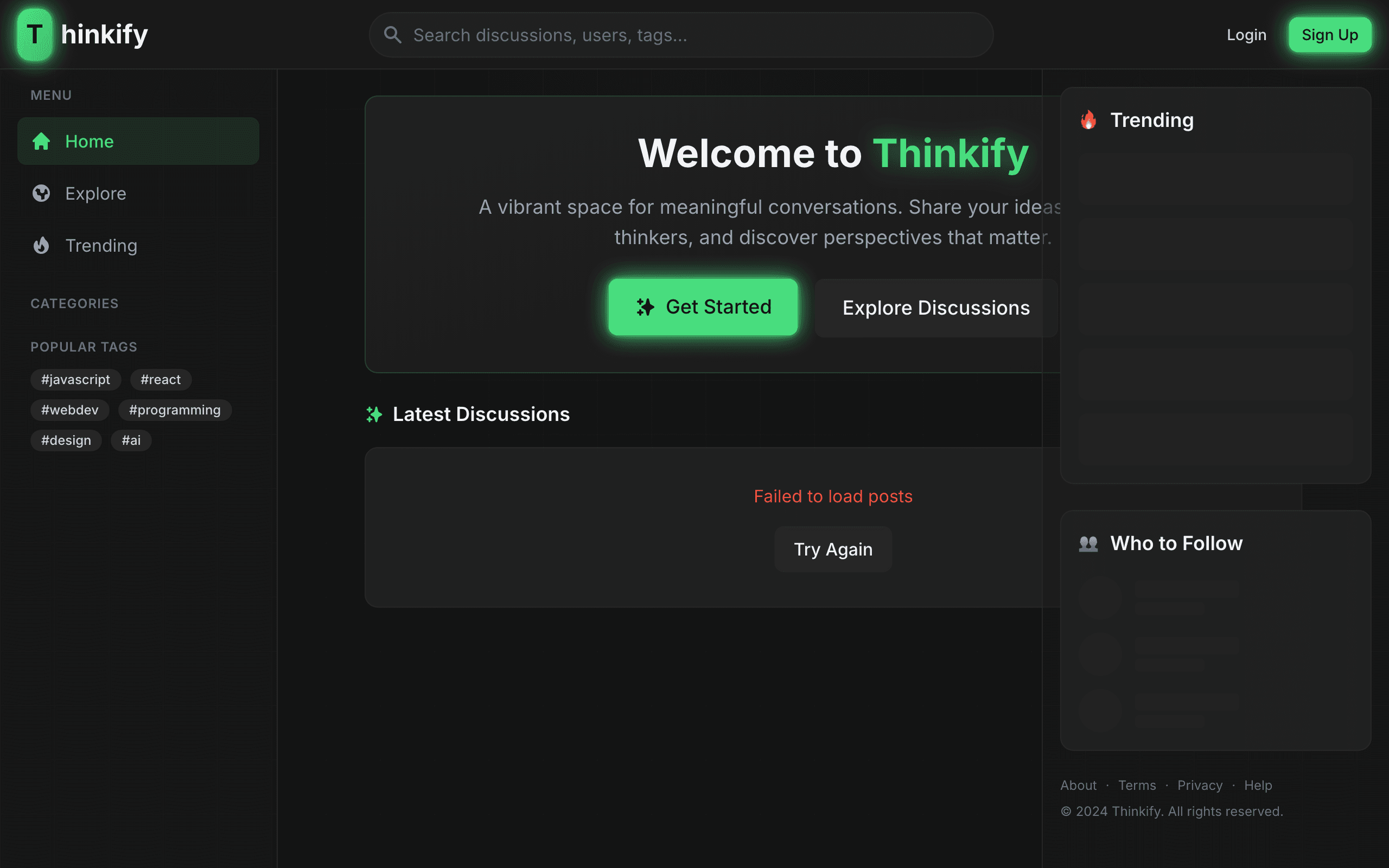
Full-stack intellectual discussion platform for meaningful conversations. Share articles, engage with thinkers, and discover perspectives that matter.
🧠 Thinkify
A vibrant digital space for meaningful conversations




Thinkify is a modern forum and social platform built with the MERN stack, featuring a stunning Neon Cyberpunk Minimalist design aesthetic. It combines the thoughtful discussion of forums with the engagement of social media.
✨ Features
🔐 Authentication & Security
- JWT-based authentication with HttpOnly cookies
- Secure password hashing with bcrypt
- Rate limiting and request sanitization
- Protected routes and role-based access
📝 Content Management
- Rich text posts with categories
- Threaded comments with nested replies
- Like, bookmark, and share functionality
- User-generated content moderation
👥 Social Features
- User profiles with customization
- Follow/unfollow system
- Activity feeds and notifications
- Real-time interaction updates
🎨 Design System
- Deep Matte Charcoal (#121212) background
- Neon Green (#4ADE80) accent color
- Smooth animations with Framer Motion
- Fully responsive mobile-first design
🚀 Quick Start
Prerequisites
- Node.js 18+
- MongoDB 6.0+ (local or Atlas)
- npm or yarn
Installation
- Clone the repository
git clone https://github.com/yourusername/thinkify.git
cd thinkify
- Install server dependencies
cd server
npm install
- Configure environment variables
cp .env.example .env
# Edit .env with your configuration
- Install client dependencies
cd ../client
npm install
- Start development servers
In one terminal (server):
cd server
npm run dev
In another terminal (client):
cd client
npm run dev
- Open your browser
http://localhost:5173
📁 Project Structure
thinkify/
├── client/                 # React frontend
│   ├── public/            # Static assets
│   └── src/
│       ├── components/    # Reusable UI components
│       │   ├── common/    # Button, Input, Avatar, etc.
│       │   ├── layout/    # Navbar, Sidebar
│       │   ├── auth/      # Auth-related components
│       │   └── posts/     # Post components
│       ├── layouts/       # Page layouts
│       ├── pages/         # Route pages
│       ├── services/      # API service layer
│       ├── stores/        # Zustand state stores
│       └── hooks/         # Custom React hooks
│
└── server/                # Express backend
    └── src/
        ├── config/        # Database configuration
        ├── controllers/   # Route handlers
        ├── middleware/    # Custom middleware
        ├── models/        # Mongoose schemas
        ├── routes/        # API routes
        └── utils/         # Helper utilities
🛠️ Tech Stack
Frontend
| Technology | Purpose |
|---|---|
| React 18 | UI library |
| Vite | Build tool & dev server |
| Tailwind CSS | Utility-first styling |
| Framer Motion | Animations |
| React Router v6 | Client-side routing |
| TanStack Query | Server state management |
| Zustand | Client state management |
| Axios | HTTP client |
Backend
| Technology | Purpose |
|---|---|
| Node.js | Runtime environment |
| Express.js | Web framework |
| MongoDB | Database |
| Mongoose | ODM |
| JWT | Authentication |
| bcryptjs | Password hashing |
Security
helmet- Security headerscors- Cross-origin resource sharingexpress-rate-limit- Rate limitingexpress-validator- Input validationexpress-mongo-sanitize- NoSQL injection prevention
📡 API Endpoints
Authentication
POST   /api/auth/register     # Register new user
POST   /api/auth/login        # User login
POST   /api/auth/logout       # User logout
GET    /api/auth/me           # Get current user
PUT    /api/auth/password     # Update password
Users
GET    /api/users             # Get all users
GET    /api/users/:id         # Get user by ID
PUT    /api/users/profile     # Update profile
POST   /api/users/:id/follow  # Follow user
DELETE /api/users/:id/follow  # Unfollow user
Posts
GET    /api/posts             # Get all posts (paginated)
GET    /api/posts/:id         # Get single post
POST   /api/posts             # Create post
PUT    /api/posts/:id         # Update post
DELETE /api/posts/:id         # Delete post
POST   /api/posts/:id/like    # Toggle like
POST   /api/posts/:id/bookmark # Toggle bookmark
Comments
GET    /api/comments/post/:postId  # Get comments for post
POST   /api/comments               # Create comment
PUT    /api/comments/:id           # Update comment
DELETE /api/comments/:id           # Delete comment
POST   /api/comments/:id/like      # Toggle like
Categories
GET    /api/categories        # Get all categories
GET    /api/categories/:id    # Get category by ID
POST   /api/categories        # Create category (admin)
PUT    /api/categories/:id    # Update category (admin)
DELETE /api/categories/:id    # Delete category (admin)
🎨 Design Tokens
Colors
--charcoal: #121212      /* Background */
--surface: #1a1a1a       /* Cards/Panels */
--surface-light: #242424 /* Elevated surfaces */
--neon: #4ADE80          /* Primary accent */
--neon-hover: #22C55E    /* Hover state */
--purple: #A78BFA        /* Secondary accent */
--text-primary: #E5E5E5  /* Main text */
--text-secondary: #9CA3AF /* Muted text */
Typography
- Headings: Inter (sans-serif)
- Body: Roboto (sans-serif)
- Code: JetBrains Mono (monospace)
🧪 Development
Running Tests
# Server tests
cd server
npm test

# Client tests
cd client
npm test
Linting
# Lint server
cd server
npm run lint

# Lint client
cd client
npm run lint
Building for Production
# Build client
cd client
npm run build

# The build output will be in client/dist
🚢 Deployment
Environment Variables (Production)
NODE_ENV=production
MONGODB_URI=mongodb+srv://...
JWT_SECRET=your-production-secret
CLIENT_URL=https://yourdomain.com
Docker (Coming Soon)
docker-compose up -d
🤝 Contributing
- Fork the repository
- Create your feature branch (
git checkout -b feature/amazing-feature) - Commit your changes (
git commit -m 'Add amazing feature') - Push to the branch (
git push origin feature/amazing-feature) - Open a Pull Request
📄 License
This project is licensed under the MIT License - see the LICENSE file for details.
🙏 Acknowledgments
- Design inspired by cyberpunk aesthetics
- Icons from Lucide React
- Animation library by Framer Motion
Made with 💚 and lots of ☕
Thinkify - Where Ideas Come Alive
Explore More Projects
Discover other applications built by Masum Billah Zihadi
ReadyForms
A modern full-stack form builder SaaS platform built with TypeScript & Next.js. Create, manage, and deploy dynamic forms with an intuitive interface and real-time validation.
Asset Manager
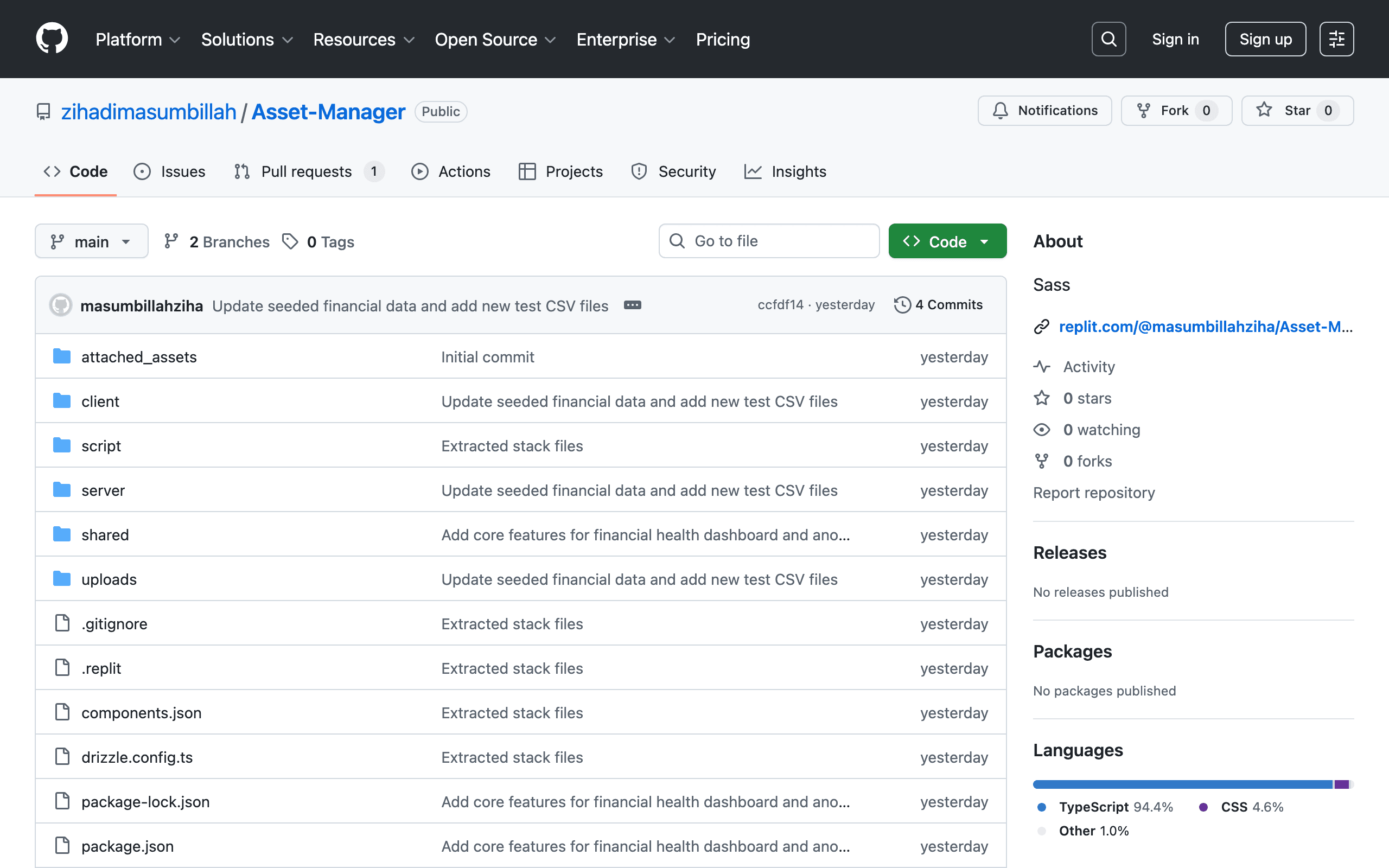
Comprehensive full-stack asset management system for tracking, organizing, and managing enterprise hardware and digital assets. Built with a TypeScript stack and Sass styling.
E-Commerce Platform
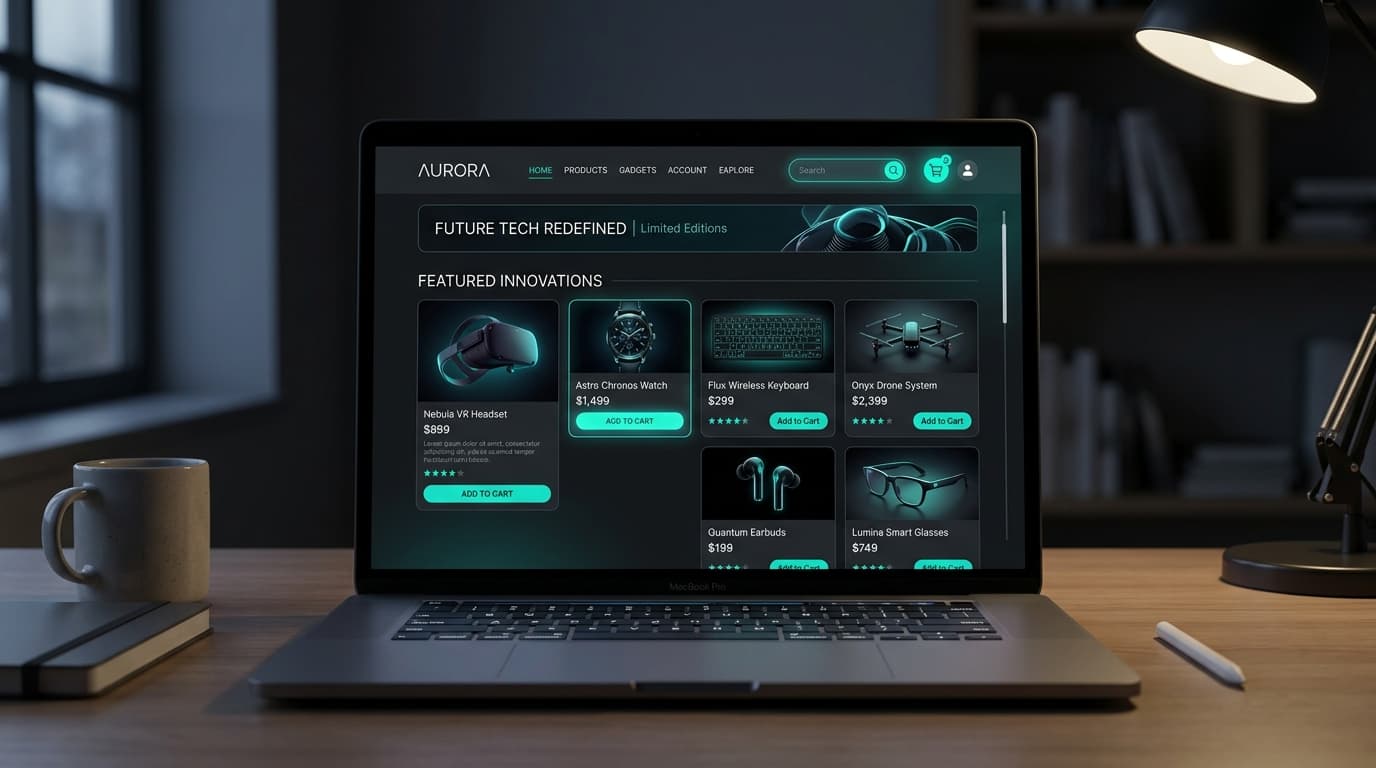
Full-featured modern full-stack e-commerce storefront & backend engine with shopping cart, Stripe payment processing, product filtering, and order management.